

What are Recipients?
Recipients are payees - the people or businesses you send money to through Pooler. Before you can send a payment, you must create a recipient record with their payment account details. Once created, you can reuse recipient records for multiple payments.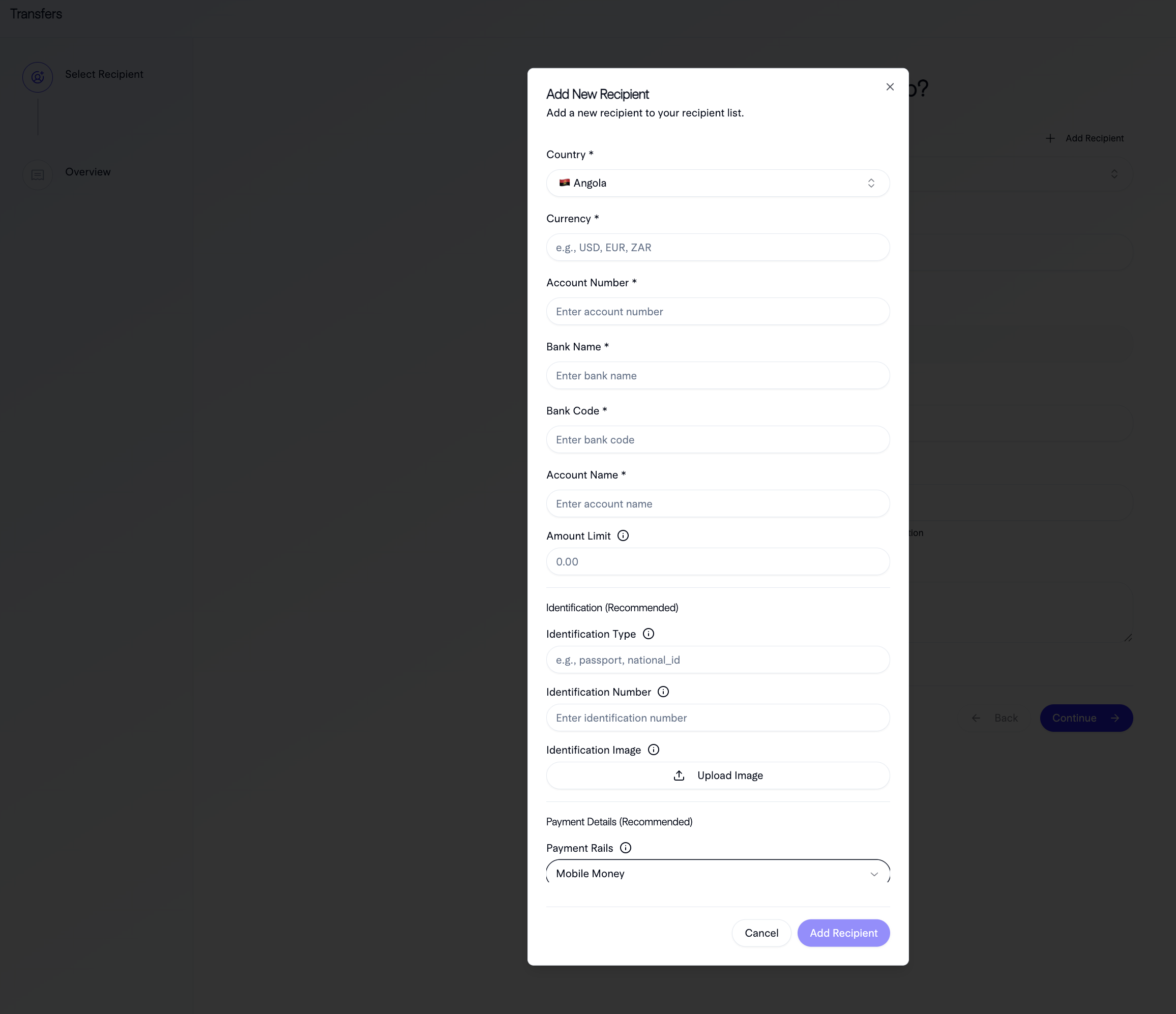
Benefits of Recipient Management
Reusability
Create once, use many times - save recipient details for future payments.
Verification
Recipients are verified to ensure account details are correct before payments.
Compliance
Store verified recipient information for compliance and audit purposes.
Efficiency
Send payments faster by referencing recipient IDs instead of entering details each time.
Error Prevention
Verified recipients reduce payment errors and failed transactions.
Tracking
Track payment history per recipient for better analytics.
Recipient Creation Flow
1
Collect Recipient Details
Gather all required recipient information from your customer or records.
2
Create Recipient via API
Call the Create Recipient endpoint with recipient details.
3
Recipient Created
Recipient is created and assigned a unique recipient ID.
4
Use Recipient for Payments
Use the recipient ID when initiating payments to this recipient.
Recipient Management
Updating Recipients
You can update recipient information if details change:- Account number changes
- Account name updates
- Contact information updates
- Bank details changes